A time clock for the shop wall, and timesheets you don’t have to re-type.
Your crew clocks in and out on one shared tablet with their name and a 4-digit PIN. At the end of the pay period, you download their hours for payroll.
For small shops and crews in Alberta. From $99 a month for up to 10 employees, and nothing to install on employees’ phones.
What payday looks like
At the end of a pay period, the person who does payroll:
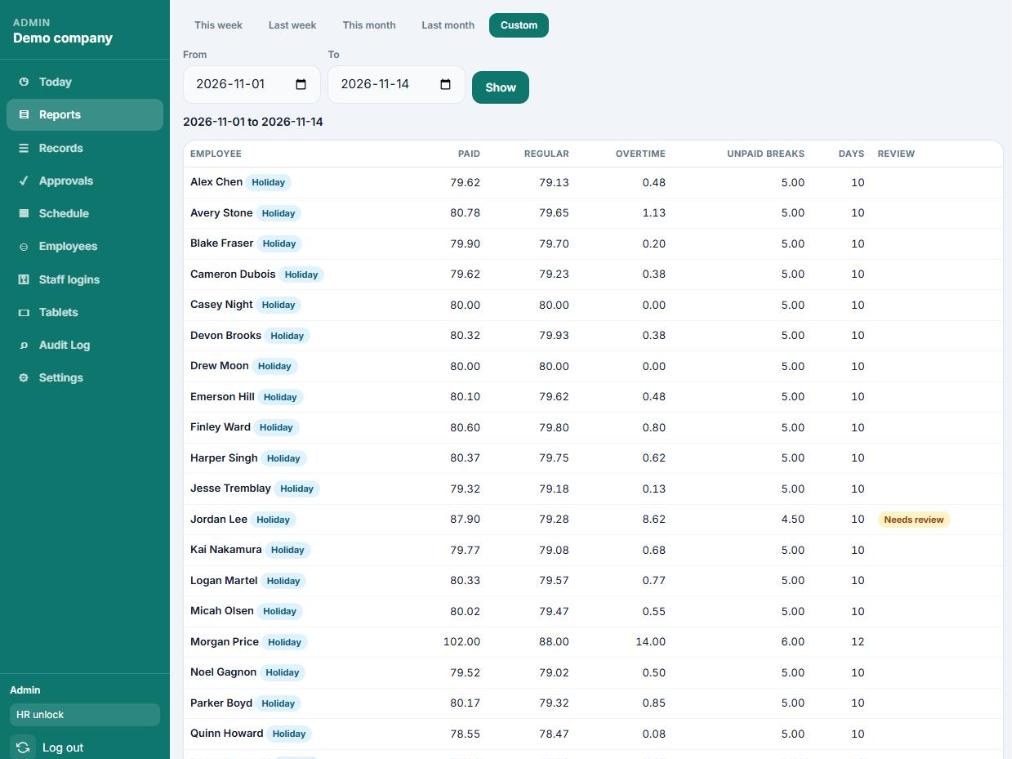
- Opens Reports on a computer or phone and picks the pay period.
- Looks at the shifts marked for review, such as someone who forgot to clock out on Tuesday.
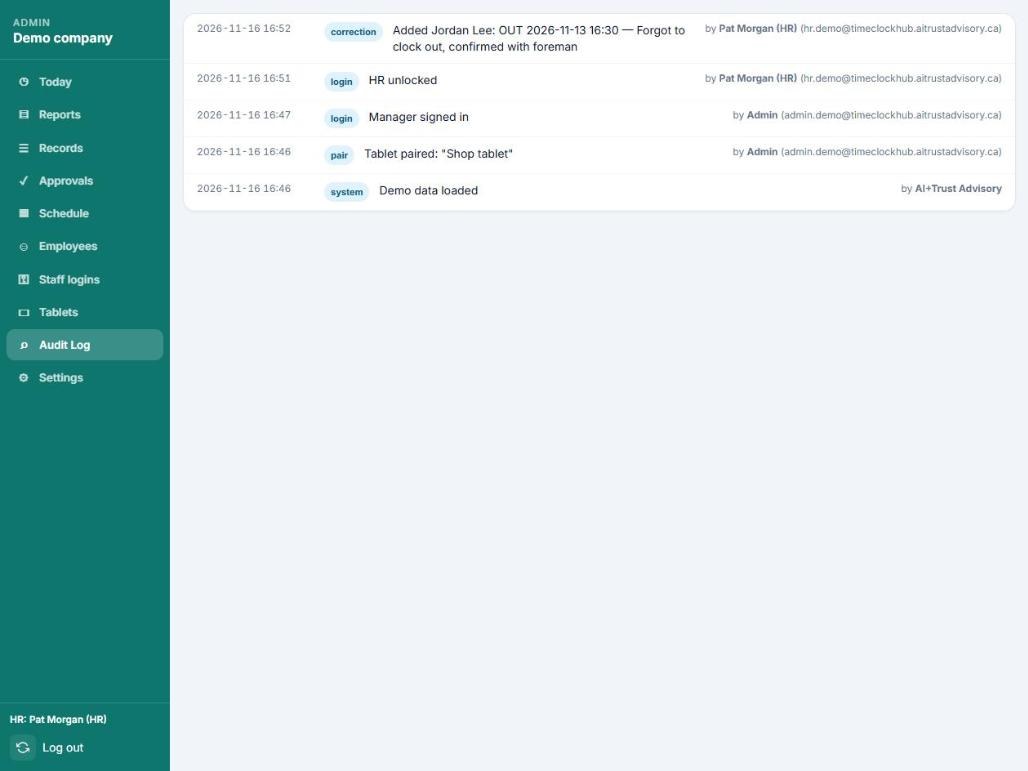
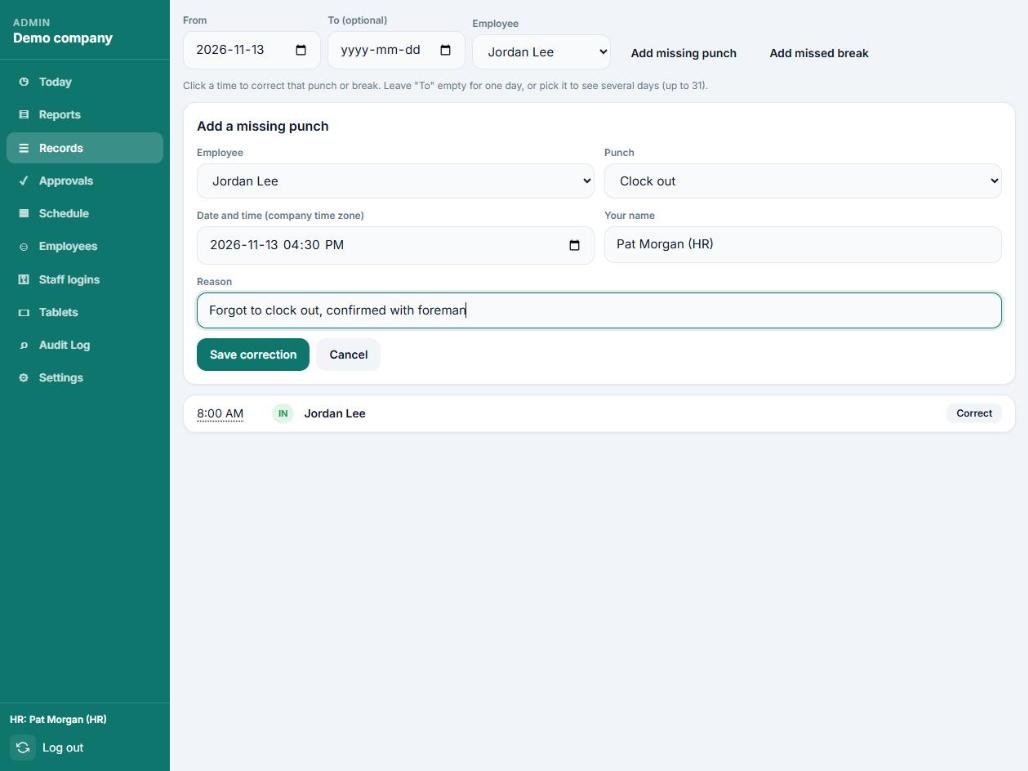
- Fixes that shift in Records. The app asks for a reason and keeps it in the audit log with their name.
- Downloads the hours as a spreadsheet or a QuickBooks file, or prints a timesheet for each person to sign.
The hours are already added up, so nobody has to read handwriting or total a column.
The screens you will use
Screenshots show a demo company, not a real customer.
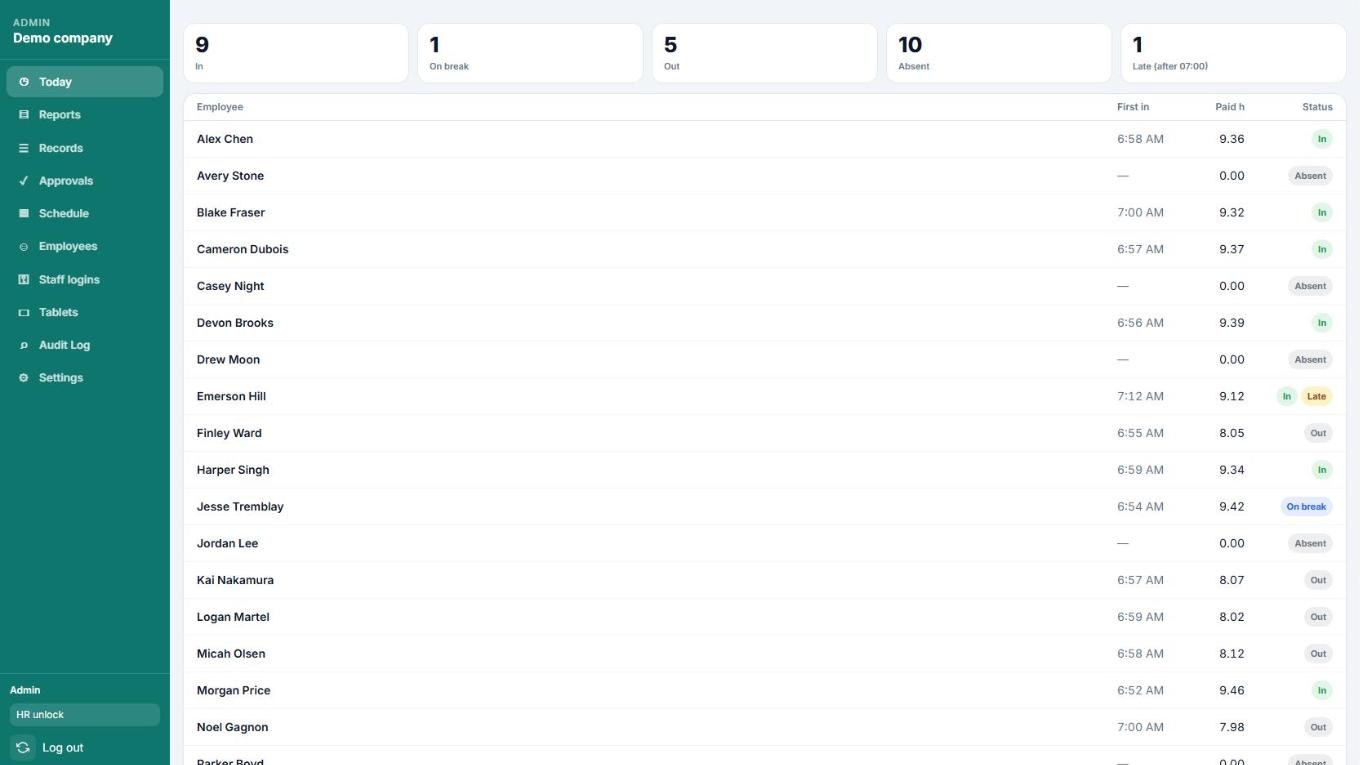
What it does
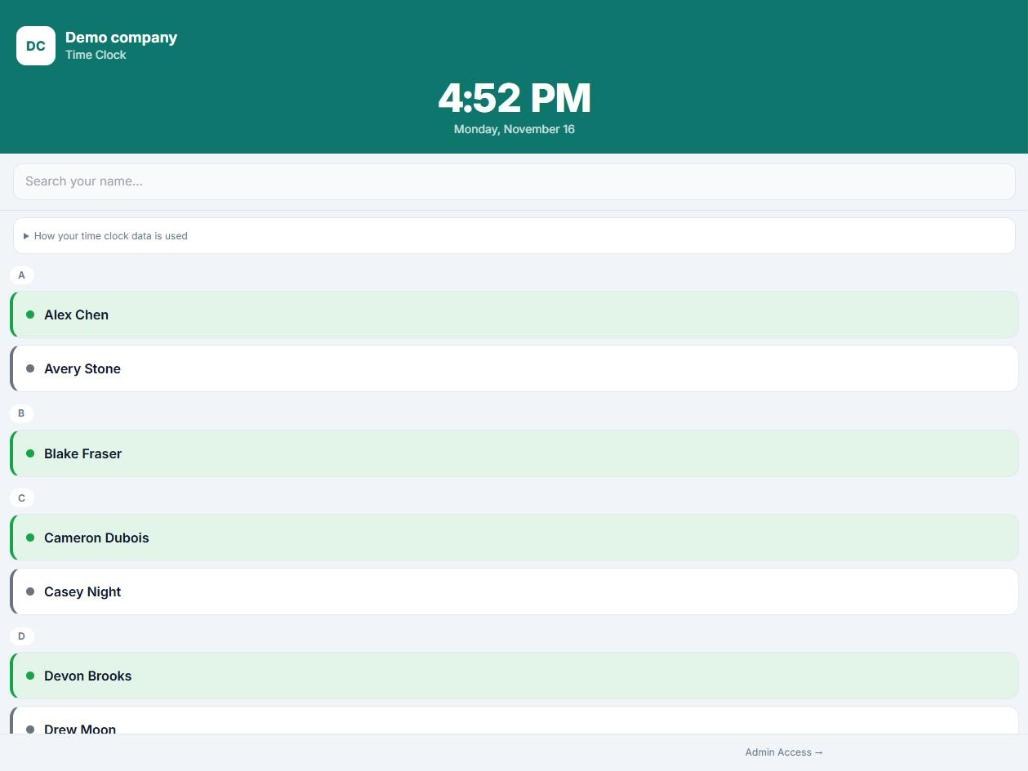
One shared tablet
Any recent tablet with a web browser. It stays on the clock screen, and each person uses their own 4-digit PIN.
Punch times from our server
Clock-ins use the time on our server, not on the tablet, so changing the tablet’s clock doesn’t change anyone’s hours.
Timed breaks
Set up to four break types with their own lengths. The tablet counts down and shows who is still on break.
Corrections with a record
Managers and HR have separate access, and HR unlocks pay settings with a second step. Every correction goes in the audit log with who made it and why.
Night shifts and forgotten punches
A shift that runs past midnight stays one shift. An optional automatic clock-out catches anyone who forgets and marks the shift for review.
Overtime is flagged before payroll
When you turn overtime on, reports mark hours over 8 in a day and over 44 in a week. Those are the general limits in Alberta’s Employment Standards Code, and you can change both numbers.
For each week, the app works out the daily overtime and the weekly overtime and uses whichever is greater, so the same hours aren’t counted twice.
The app flags hours. It doesn’t calculate pay, and it doesn’t account for averaging agreements or other exceptions that may apply to your business, so check with your payroll person.
| Day | In | Out | Unpaid break | Paid hours |
|---|---|---|---|---|
| Monday | 6:58 AM | 3:28 PM | 0:30 | 8.00 |
| Tuesday | 7:01 AM | 5:46 PM | 0:30 | 10.252.25 over 8 |
| Wednesday | 6:55 AM | 3:25 PM | 0:30 | 8.00 |
| Thursday | 7:00 AM | 4:15 PM | 0:30 | 8.750.75 over 8 |
| Friday | 6:59 AM | 3:29 PM | 0:30 | 8.00 |
| Week: 43.00 paid hours. Daily overtime 3.00, weekly overtime 0.00 (under 44). Overtime used: 3.00. Regular: 40.00. | ||||
Where your data is kept
- Time records
- Stored in a Google Cloud (Firebase) database in Montréal, Canada.
- Website and sign-in
- The app is served by Netlify, and sign-in runs on Google’s Firebase service. These may handle requests outside Canada.
- Who can see it
- Your managers and HR people see your company only. Companies can’t see each other’s data. We have administrator access to set up your company and to help when you ask.
- Backups
- [OWNER: describe the backup arrangement before publishing]
- Employees’ phones
- Nothing is installed on them, and the app doesn’t use location.
Pricing
One monthly price for your company, set by how many active employees you have. Every plan includes every feature, unlimited tablets, unlimited managers and setup by us. Month to month.
Prices are in Canadian dollars, plus applicable taxes. Pay by credit card or pre-authorized debit.
Founding client discount: 25% off your first 6 monthly invoices. Ask about it when you book a demo.
Who is behind this
TimeClockHub is made by AI+Trust Advisory Inc. in Edmonton, Alberta.
You deal with us directly, by phone or email.
Common questions
Do employees need a phone or an app?
No. Everyone clocks in on the shared tablet. Nothing goes on their phones.
What tablet do we need?
Any recent iPad or Android tablet with a web browser. Keep it plugged in near the door. It runs in kiosk mode and stays on the clock screen.
What if the internet goes down?
The tablet needs a connection to record a punch. If a punch doesn’t go through, the screen says so. A manager can add the missed time later, and the change is logged.
Does it work with QuickBooks?
For QuickBooks Desktop, we export a file you import as timer activities. For QuickBooks Online, we export a spreadsheet you can key in or bring in with an import tool, because QuickBooks Online has no built-in timesheet import. Every plan also exports a plain spreadsheet (CSV).
Does it calculate pay?
No. It gives you hours and overtime flags. Your payroll service or accountant applies the pay rates.
How do we cancel?
Cancel from your billing page. Billing stops at the end of the month you have paid for. See the terms of service.
See it in 15 minutes
We’ll show you a demo company on a real tablet: a clock-in, a break, a correction and a payday export. If it suits your shop, we’ll agree on a start date.
- Phone
- +1 (780) 977-3155
- hello@timeclockhub.ca
- Based in
- Edmonton, Alberta